Electronic Medical Records - Product update


Dear Heal users,

News and updates

Thank you for your ongoing support and usage of the Heal application. Heal is now live at over 30 Medicross practices with more than 100 000 electronic patient files created in just over 6 months. WOW! 


We are also very excited by the positive responses from clinicians about the Heal application! We recently met Dr Aadilah Domingo from Medicross Pinelands who had the following to say:   


"I’ve used all the EMR applications out there and this is the best EMR I have ever used!" 


Product and feature highlights

Heal has new features coming to help make Doctors and Nurses lives easier, you can learn about these below:

 Streamlining diagnosis code capture throughout a   patient consult 

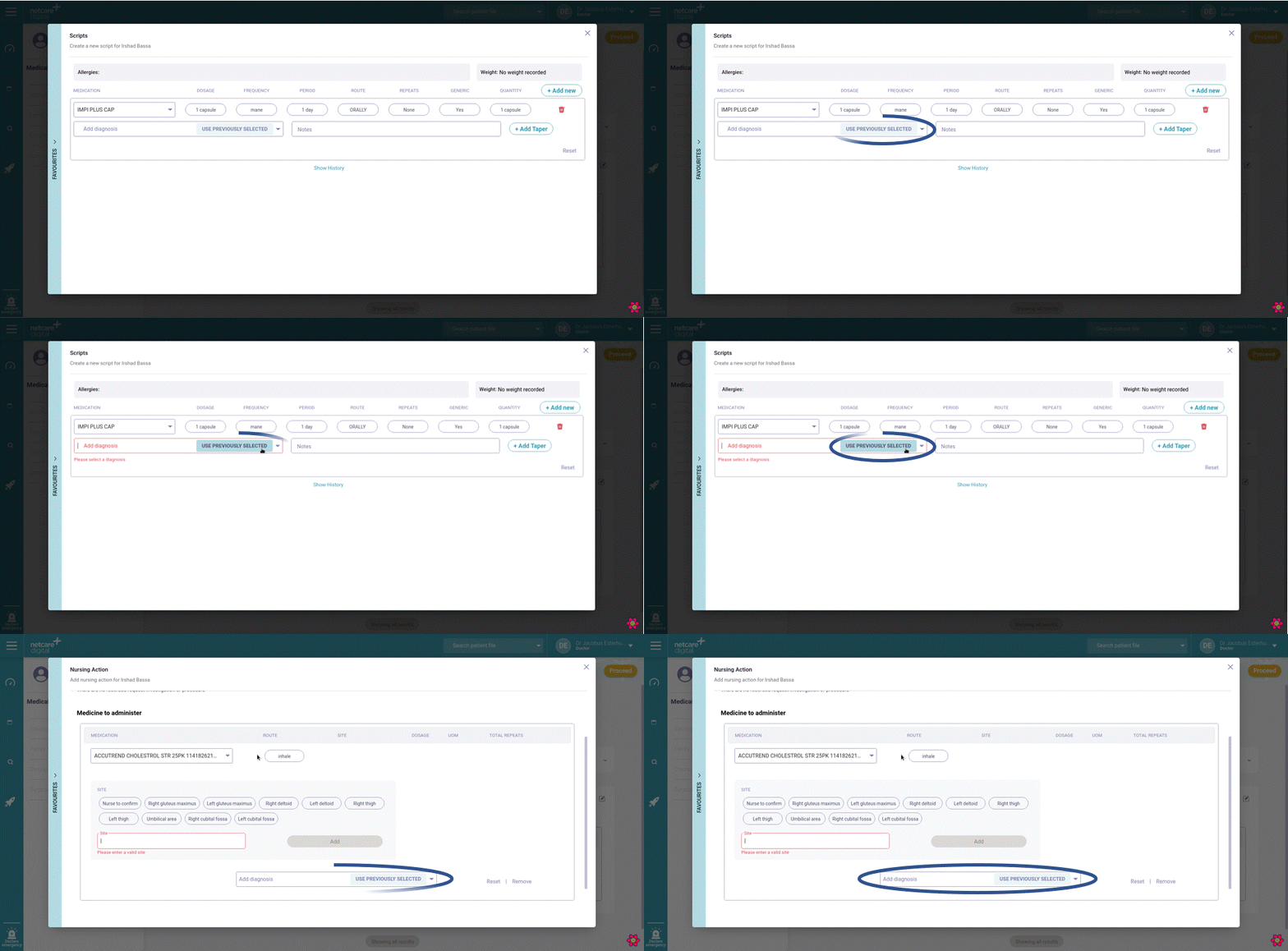
The Heal application was designed to make capturing notes as fast as on paper, with this release, we've added a new feature to make the process even faster! You no longer need to select the same ICD10 diagnosis code multiple times throughout a consult. Instead, once you've added the diagnosis code for the first time, a button to "re-use previous” will appear for each subsequent diagnosis item. This will remove the need to repeatedly capture the same  ICD10 code. For example if the ICD 10 code J11.1 is captured in a clinical note, during scripting the “re-use previous” button can be clicked to repeat the code J11.1 as needed.


 Streamlining request for nursing actions 

You no longer need to specify the site when requesting a nurse to administer medication. Rather, an additional option called “Nurse to confirm” can be selected.


Featured features

Features we’d like to remind you about.

 Re-use scripts

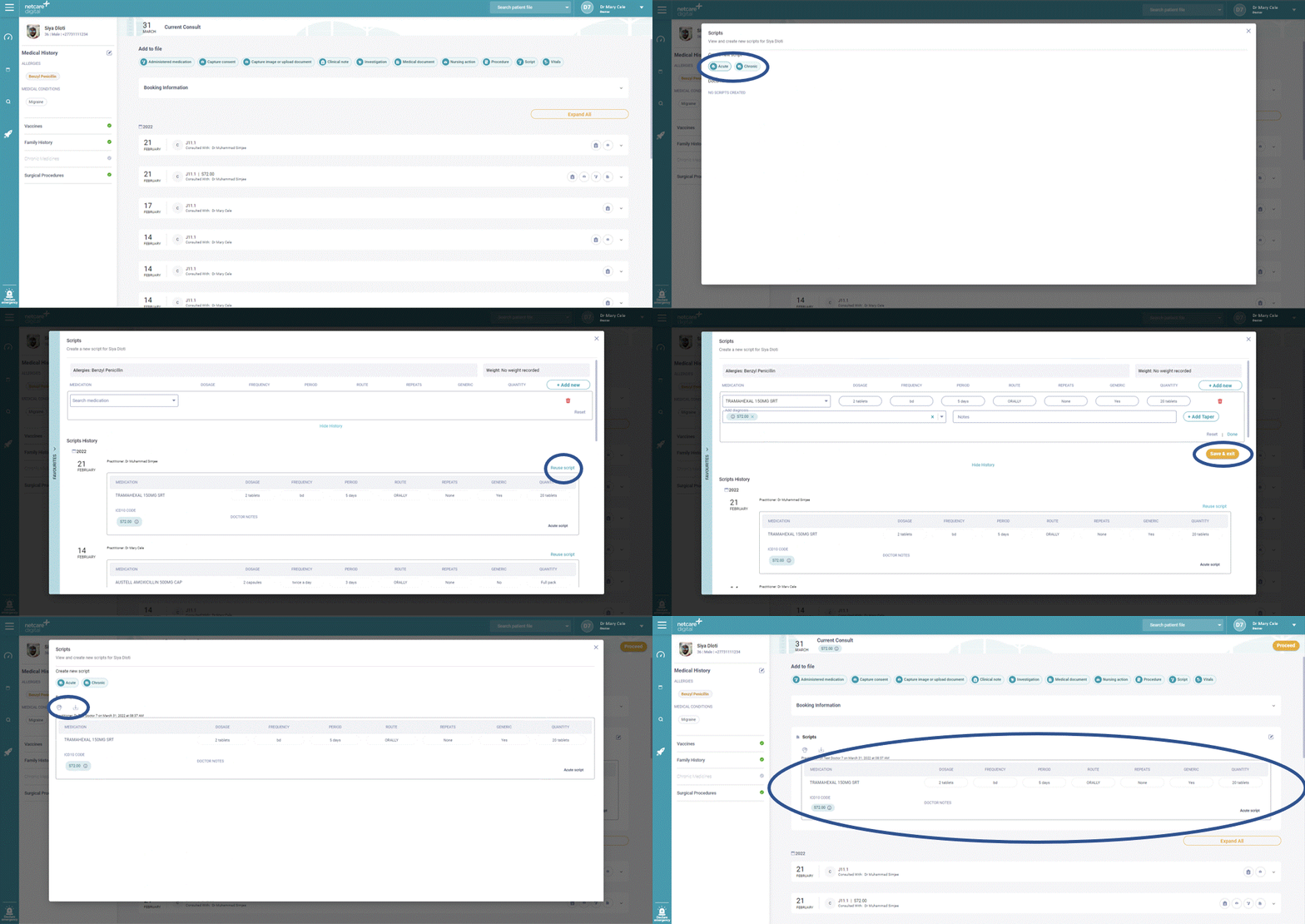
This month's featured feature is the re-use of scripts. The feature allows you to duplicate a script already issued for a specific patient, which can be particularly useful for patients with chronic conditions. To reuse a script, simply click the script widget button, select acute or chronic, scroll down to history and click the “re-use script” button for the specific script you’d like to re-use. All items on the original script will now be populated. You can edit or remove items as needed and once complete print or download the script as normal. 


Your feedback matters

Please click on the below button to share your feedback on the Heal application in under 30 seconds. Your feedback is greatly appreciated.

Share your feedback
 

Some additional information

  • You can find out more about our previous release here
  • Watch our latest explainer video here